
Install Roast Architect Software
Getting Started with Roast Architect
Thank you for purchasing Roast Architect!
Note: While you are installing Roast Architect you will encounter prompts to install the following frameworks:
ASP.NET Core 8.0 Runtime (v8.0.12)
.NET 8.0 Desktop Runtime (V8.0.12)
Loring’s Roast Architect software is a Windows-based application that enhances the control and display of roast data for owners of Loring roasters. It allows you to precisely design and edit roast profiles on your computer.
Key Features:
Profile Designer
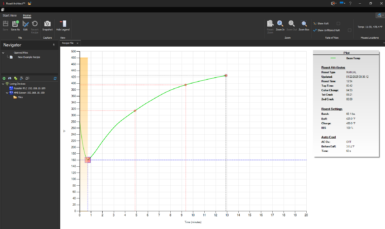
Create and edit roast profiles anytime, anywhere. You have precise control over your profile through a combination of enterable attributes and a point-and-click curve editor. Set your roast length and turn around point (TAP) to the second. Zoom in and use your mouse to drag points on the curve to create the perfect profile. When ready, upload your profile from Roast Architect directly to your roaster. Your masterpiece is ready to roast.
Network Ready
Roast Architect software will auto-discover Loring roasters on your local network, making it easy to upload and download individual roast profiles. You can also use Roast Architect software to create an archive of all the Roast Profiles on your roaster so that you always have a backup.