Create a New Profile
This quick guide will describe how to create a new Profile for a Loring Roaster.
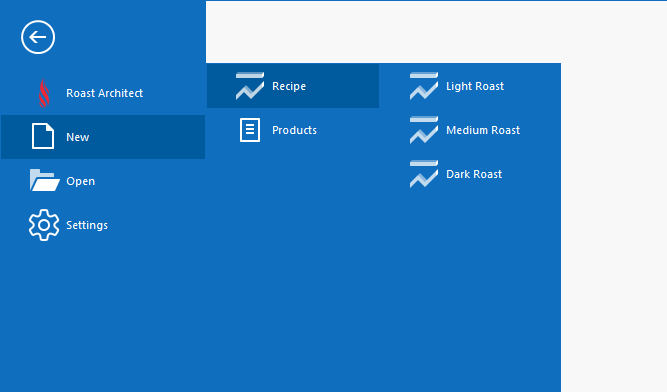
The New Profile menu
- From the File menu, select New
- Select Recipe, then choose from the templates: Light Roast, Medium Roast, Dark Roast
- The template loads as a Roast Profile
- Edit the Profile using the Editing Tools
- In the Editor view Tool Ribbon, select Save As to save the new Profile to your computer
To upload this Profile onto a Loring Roaster, see Upload File to a Roaster